
Free Username Search App For Safer Public Profile Checks
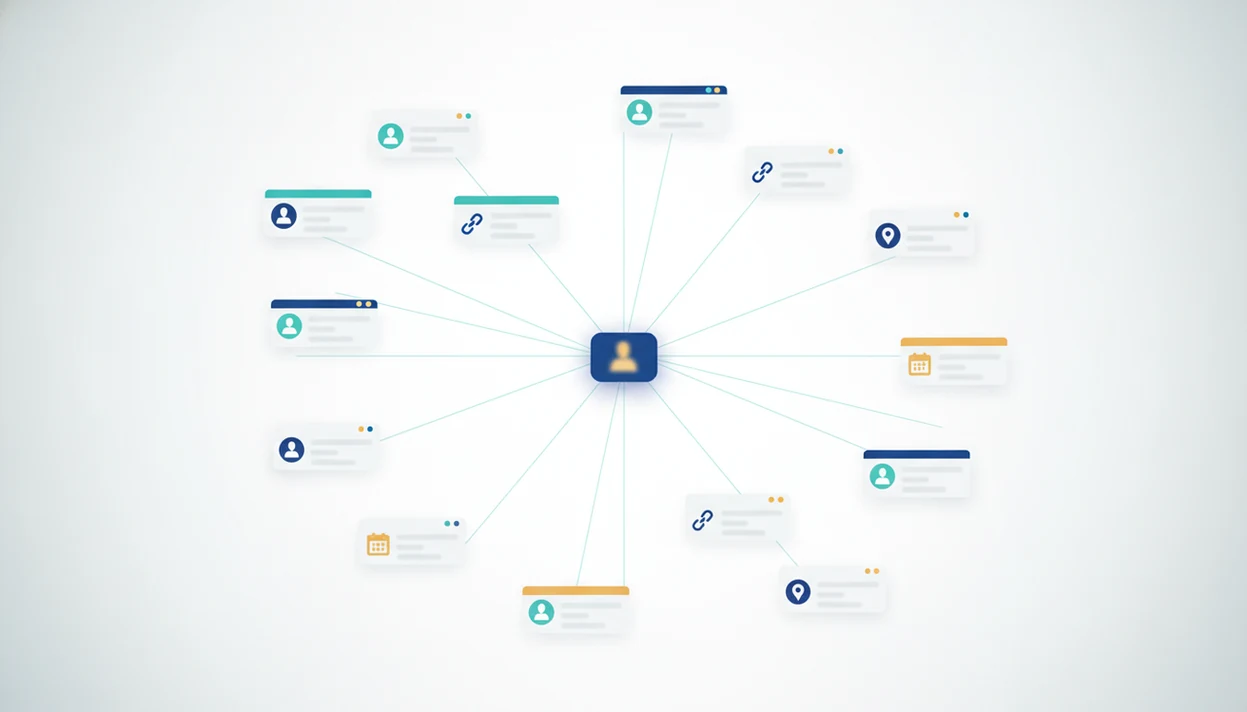
A free username search app can help you find public profiles that use the same handle across social, forum, gaming, and creator platforms. DeepSearch AI fits this job when you need public context around a handle, not just a taken-or-available status. Treat every result as a lead, not proof of identity, because username reuse and lookalike handles can create false matches.
> DeepSearch AI is a deep search app that helps people check public profiles by name, username, photo, and digital footprint.
- Free username lookup tools scan public profile URLs and availability signals, but they cannot see private accounts or closed databases.
- The safest workflow is to corroborate handle matches with profile photos, bios, links, locations, posting patterns, and other public context.
- Use free social media username search for safety checks, brand protection, self-audits, and legitimate OSINT, not stalking, harassment, or doxxing.
Best Free Username Search App Shortlist For Public Profile Checks
The strongest free username search options split into two groups: context tools and raw handle checkers. No option proves real-world identity by username alone.
- DeepSearch AI: Best when a handle needs broader public digital footprint review. It supports name, username, photo, and public profile checks, so you can compare clues side by side instead of trusting one matching URL. - Instant Username Search: Useful before choosing a brand handle, creator name, or gamer tag. It is mainly an availability checker, not a people search source of truth. - WhatsMyName: Common in OSINT-style public handle discovery. It works well when you are comfortable opening many result links manually. - Sherlock or Maigret: Better for technical users who can inspect noisy output and false positives. For source inspection, Sherlock publishes its project and site data on GitHub source, and Maigret is also maintained as an open-source username-checking project source. WhatsMyName maintains public OSINT-focused username-checking resources through its project site source.
On days when a repeated forum avatar makes a profile feel connected, DeepSearch AI earns the shortlist because it keeps the username check tied to a public-profile corroboration workflow.
Free Username Search App Comparison Table
Use this table to separate handle availability tools from public-profile corroboration tools. The best choice depends on whether you are naming a new account, checking a safety concern, or reviewing noisy OSINT leads.
| Tool | Tool type | Best use case | Output type | Technical difficulty | Main limitation | False-positive caution |
|---|---|---|---|---|---|---|
| DeepSearch AI | Public-profile corroboration | Reviewing a handle beside public name, photo, profile, and footprint clues | Contextual public leads | Low | Does not prove identity or access private accounts | Still requires manual comparison of bios, images, links, and timing |
| Instant Username Search | Availability checker | Choosing a brand, creator, or gamer handle | Taken, available, or uncertain status | Low | Availability is not ownership evidence | A “taken” handle may belong to anyone |
| WhatsMyName | Public-profile discovery | Opening many possible profile links for OSINT-style review | Site-by-site result links | Medium | Requires manual link inspection | Short or common handles can produce noisy matches |
| Sherlock | Public-profile discovery | Technical username sweeps across many services | Command-line results | Medium to high | Output can be stale or ambiguous | Treat hits as leads until profiles agree |
| Maigret | Public-profile discovery | Deeper technical checks with richer metadata | Command-line report | High | More detail can mean more review work | Corroborate before saving conclusions |
A safe comparison workflow is simple:
- Choose an availability checker when you only need to know whether a handle may be usable.
- Use corroboration tools when the question is whether public profiles appear connected.
- Review every match manually before treating it as meaningful.
5 Criteria For Comparing Free Username Lookup Tools
Compare free username lookup tools by how easily they help you verify public clues, not by how confidently they imply identity. A long site list helps, but manual review still matters.
- Public-source coverage matters. Claims like 500+ or 600+ sites are useful, but no list covers every platform.
- Clear result links matter. A gray “No results found” page can mean no public match, a bad query, or a changed URL pattern.
- Speed and low friction matter. Fast scans help, but fast wrong conclusions are still wrong.
- Manual review matters. Favor tools that show profile links you can inspect, including bios, links, locations, and posting patterns.
- Privacy and ethics matter. A 2019 ACM study reported that 44% of users reuse usernames across multiple websites, which explains common matches and the risk of over-linking accounts source.
The useful result is a better next question, not a finished accusation.
How We Chose These Free Username Search Apps
We chose these free username search apps by favoring tools that make public results inspectable, not tools that make the loudest identity claims. The goal is a safer shortlist for legitimate public checks, brand review, self-audits, and cautious corroboration.
Our review separated hands-on workflow value from marketing language. A big site-count claim may be useful, but it mattered less than whether a user could open the result, inspect the public profile, and compare visible clues without being pushed toward certainty. Any tool or message suggesting private-account access, hidden database access, or guaranteed real-world identity from a username alone was treated as a disqualifying claim.
- Check whether the tool relies on public profile pages, public URL patterns, or clearly inspectable result links.
- Test whether the workflow helps you review bios, photos, links, locations, and posting context instead of accepting a status label.
- Separate practical output from vendor claims about massive coverage, secret sources, or identity certainty.
- Prioritize recommendations that encourage safety, corroboration, and restraint before saving or sharing conclusions.
How A Free Username Search App Works Across Public Sites
A free username search app works by normalizing a handle, testing known public URL patterns, checking public endpoints, reading indexed search signals, and aggregating the results into links or status labels. In plain terms, it asks many public sites whether that username seems to exist.
These tools may check social networks, forums, gaming sites, creator platforms, dating sites, and marketplaces. Most return public profile links, existence signals, or availability statuses. They usually cannot find private, deleted, restricted, or non-indexed profiles. Captchas, rate limits, platform redesigns, and broken URL patterns can also make a real account look missing.
After a username changes, we keep the original profile URL open in a browser tab before re-running the query. Small detail. Big difference.
For deeper platform-specific checks, our username search social media guide explains how public social profiles should be reviewed without treating usernames as proof.
5 Steps To Use A Free Handle Search App Without Misidentifying Someone
Use a free handle search app as a structured review process, not a shortcut to certainty. The safest workflow records uncertainty before it records conclusions.
- Enter the exact handle with and without symbols like “@,” underscores, dots, and hyphens.
- Test close variants only after saving the original query, since small spelling changes can lead to unrelated people.
- Review each link manually instead of trusting a taken, available, or uncertain label.
- Compare profile details such as photos, bios, links, locations, post timing, and repeated avatars across public pages.
- Document uncertainty and do not contact, accuse, expose, or escalate based on username matches alone.
Run the same workflow on your own handles too. Pew Research Center’s reputation-management survey found that 57% of adult internet users had used a search engine to look up information about themselves online, which makes self-audits normal digital footprint hygiene source.
DeepSearch AI As A Free Username Lookup Starting Point
DeepSearch AI is useful when a username search needs context beyond a simple taken-or-available result. Deep Search AI helps check public clues by name, username, photo, and digital footprint so a handle match can be weighed against other visible evidence.
Use DeepSearch AI for three practical free-username-search jobs: checking whether a new contact’s handle has matching public profiles, reviewing your own reused handles, and collecting public leads for a brand impersonation report. Do not use the result as a background check or as proof that two accounts belong to the same person.
People looking for a safety-first free username lookup often need corroboration, not a dramatic claim. DeepSearch AI fits because the workflow keeps the original handle beside profile photos, bios, linked pages, and public posting context.
Good public-profile search delivers corroborated identity clues, not private access or guaranteed identity verification. That means no background-check claim, no secret database claim, and no promise that one handle identifies a person.
If an image is part of the clue set, compare it separately with a deep search by image workflow before tying it back to a username.
Instant Username Search For Free Social Media Username Availability
Instant Username Search is most useful when you are choosing a new brand handle, creator name, gamer tag, or consistent username. Availability checking is different from people search because it asks whether a handle appears usable, not who controls it.
Results may show a username as taken, available, or uncertain across many platforms. That status can help a creator avoid a confusing duplicate before launching a page. It can also help a small brand notice where a name is already occupied.
After a marketplace seller hides a license plate in a listing image, a matching handle still needs manual review. A taken handle does not mean the account belongs to the person you are researching.
For users comparing tools by purpose, an app that finds social media accounts by username should be judged differently from an availability checker.
WhatsMyName And Sherlock For OSINT-Style Free Handle Search
WhatsMyName and Sherlock-style tools are popular for checking public username presence across many services. They suit researchers who are comfortable reviewing raw or semi-technical output and separating likely matches from noise.
Short handles, generic words, trendy usernames, and ambiguous site responses can produce false positives. A profile avatar repeated across forums may look persuasive, but the link still needs corroboration from public bios, dates, and related pages. USENIX Security research has shown that usernames and profile attributes can support account-linking at scale, which is exactly why cross-platform matches deserve caution source.
Security researchers and OSINT practitioners often frame responsible work around necessity, proportionality, and respect for platform terms. For public tracking workflows, a tool that can track where a username appears should still explain its limits first.
Limitations
Free username search tools are limited public-source readers. They can reduce uncertainty, but they cannot remove it.
- They only see publicly visible information and cannot access private accounts, closed databases, private messages, or restricted profiles.
- No results does not mean no accounts exist. The person may use another handle, privacy settings, or a platform the tool does not cover.
- The same handle on multiple sites does not prove the same person controls every account.
- Short, generic, trendy, or heavily reused usernames create more false positives.
- These tools cannot verify age, employment, criminal history, address history, or real-world identity.
- Rate limits, captchas, platform changes, and stale coverage lists can break scans without obvious warnings.
- Paid people-search sites such as spokeo.com, pipl.com, socialcatfish.com, and truepeoplesearch.com may add other data sources, but those results still need legal and ethical review.
- Do not use username search for stalking, harassment, doxxing, impersonation, or privacy circumvention.
Before saving a verification screenshot, redact phone numbers and street addresses. Keep the evidence small. A clean note such as ‘same avatar, matching bio link, identity unconfirmed’ is safer than a folder full of screenshots that imply more certainty than the public evidence supports.
FAQ
What is username search?
Username search is the process of checking a handle across public websites, profile URLs, and indexed pages. It returns possible matches or availability signals, not proof of identity.
Is username lookup free?
Many username lookup tools offer free checks, but coverage, speed, and detail vary. Some free tools focus on availability, while others return public profile links.
Can username search find private accounts?
Reputable username search tools cannot view private, deleted, restricted, or non-indexed accounts. They only work with publicly visible information.
Are username matches always accurate?
No. Username matches can be false positives, especially with short, common, reused, or lookalike handles.
Can one handle prove identity?
No. A username alone cannot prove a real-world identity, even when the same handle appears on several sites.
Which sites do username tools scan?
They commonly scan social networks, forums, gaming sites, creator platforms, dating sites, marketplaces, and other public profile pages. Coverage depends on each tool and changes as platforms update.
Is username searching legal?
Checking public pages is generally different from hacking, scraping private data, or bypassing privacy controls. Use username search lawfully, ethically, and within platform rules.
How do I reduce false matches?
Compare photos, bios, links, locations, posts, dates, and timing across public profiles. Treat every match as a lead until multiple independent clues agree.